

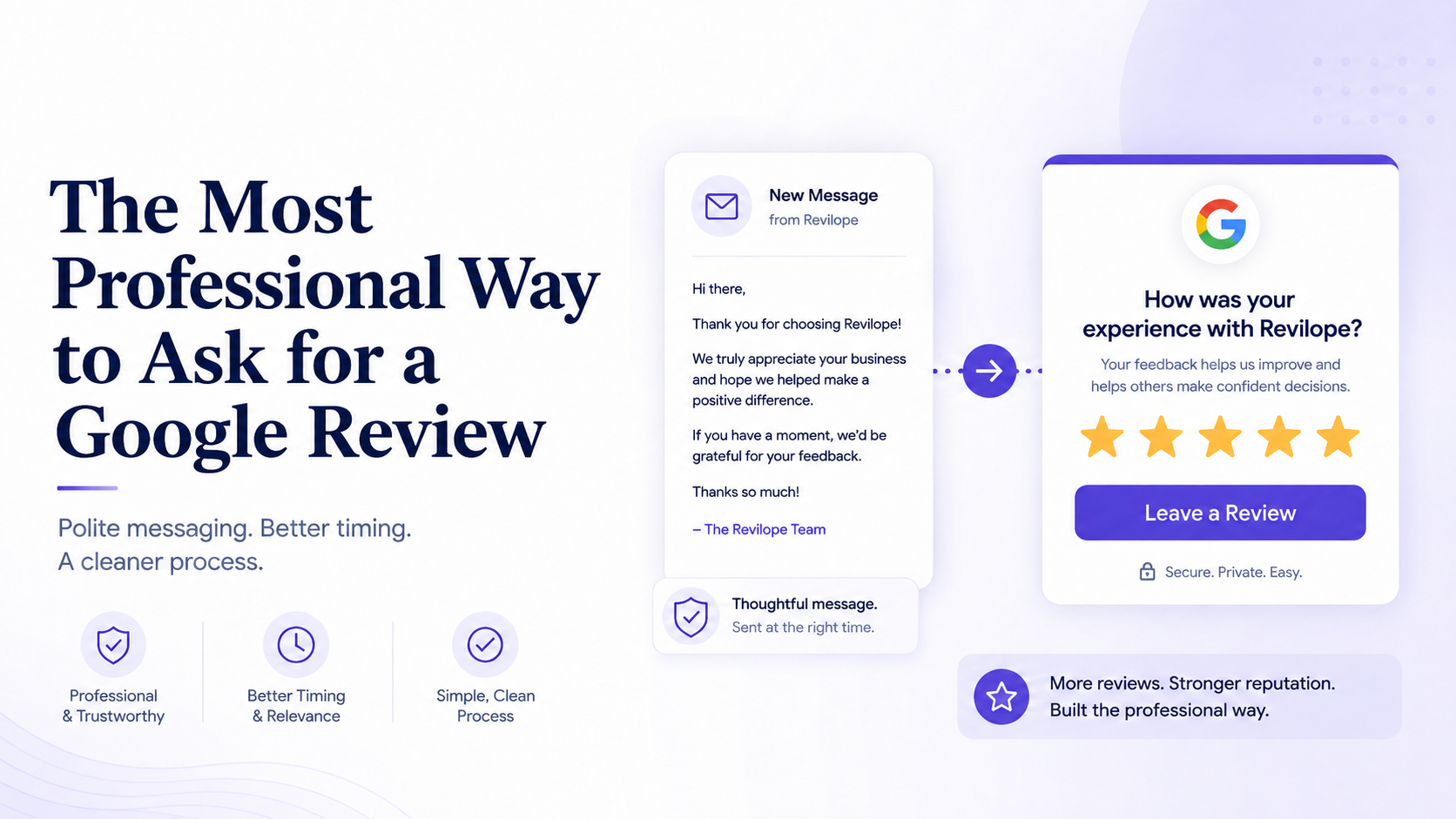
The Most Professional Way to Ask for a Google Review
Asking customers for Google reviews does not need to feel casual, uncomfortable or overly promotional.
A professional review request should feel like a natural extension of your customer service. It should thank the customer, invite honest feedback and make it easy for them to respond without applying pressure.
The most professional way to ask for a Google review is to send a short, well-timed message through a communication channel the customer already recognizes.
For many businesses, that means sending a polite email after the service, appointment, purchase or project has been completed.
The message does not need to be complicated. It should simply acknowledge the customer’s business, invite them to share their experience and provide a direct link to your Google review page.
What Makes a Google Review Request Professional?
A professional Google review request has several important qualities.
It should be:
- Polite
- Clear
- Brief
- Relevant to the customer’s experience
- Sent at an appropriate time
- Easy to respond to
- Free from pressure or demands
The goal is not to convince the customer to leave a particular rating.
The goal is to give them a convenient opportunity to share their experience.
A professional request might say:
Thank you for choosing our business. We value your feedback and would appreciate hearing about your experience. You can leave us a Google review using the link below.
This wording is direct, respectful and easy to understand.
It also avoids language that could make the customer feel obligated to leave a five-star review.
How to Professionally Ask for a Google Review
The most effective professional requests usually follow a simple structure.
1. Thank the Customer
Begin by acknowledging that the customer chose your business.
For example:
Thank you for choosing our team.
Or:
Thank you for trusting us with your recent project.
This creates a polite opening and makes the message feel connected to the customer’s actual experience.
2. Invite Honest Feedback
Next, ask the customer to share their experience.
For example:
We would appreciate hearing about your experience.
Or:
Your feedback helps us understand how we are doing.
The request should feel like an invitation rather than an instruction.
3. Provide a Direct Google Review Link
Do not make the customer search for your business manually.
Include a clear button or link that takes them directly to the correct Google review page.
For example:
Leave a Google Review
The fewer steps involved, the easier it is for the customer to respond.
4. Give the Customer Space to Decide
Avoid language that creates urgency or pressure.
A professional request can include wording such as:
- When you have a moment
- If you would like to share your experience
- We would appreciate your feedback
- Please consider leaving a review
- You are welcome to reply directly
This leaves the decision with the customer.
Professional Google Review Request Examples
The right wording may depend on your business, industry and relationship with the customer.
Here are several professional Google review request examples that can be adapted for different situations.
General Professional Review Request
Thank you for choosing our business. We value your feedback and would appreciate hearing about your experience. You can leave us a Google review using the link below.
Professional Review Request After a Service
Thank you for trusting our team with your recent service. We hope everything was completed to your satisfaction. When you have a moment, we would appreciate it if you shared your experience in a Google review.
Professional Review Request After an Appointment
Thank you for visiting us. We hope you had a positive experience with our team. Your feedback is important to us, and you can share it by leaving a Google review below.
Professional Review Request After a Project
Thank you for the opportunity to work with you. Now that your project has been completed, we would appreciate hearing about your experience. You can leave a Google review using the link below.
Professional Review Request After a Purchase
Thank you for your recent purchase. We hope you are pleased with your experience. When convenient, please consider sharing your feedback in a Google review.
Professional Review Request for a Returning Customer
Thank you for continuing to choose our business. We truly appreciate your support. We would be grateful if you shared your experience with others by leaving a Google review.
Short Professional Google Review Request
Thank you for choosing us. We would appreciate your feedback. Please use the link below to share your experience on Google.
A professional review request does not need to sound overly formal.
It only needs to be respectful, clear and appropriate for the customer relationship.
What Should You Avoid Saying?
Some review requests sound less professional because they focus too heavily on the business rather than the customer.
Avoid wording such as:
- Please give us a five-star review
- We really need more Google reviews
- Help us improve our Google ranking
- Do not forget to leave us a review
- Please leave a positive review
- It would mean everything to us
- We will keep reminding you until you respond
These messages can make the customer feel pressured.
They may also make the request seem more concerned with collecting ratings than understanding the customer’s experience.
A better approach is to ask for feedback without suggesting what the customer should say or how they should rate the business.
When Should You Send a Professional Review Request?
Timing is an important part of making the request feel professional.
The customer should have enough time to evaluate the service, product or overall experience before being asked to leave a review.
Appropriate times may include:
- After a service has been completed
- After an appointment
- After a product has been delivered
- After a project has been finished
- After a support issue has been resolved
- After sending the final invoice or receipt
- After confirming that the customer has received everything they need
The right delay will depend on the type of business.
A restaurant may send a review request the next day. A contractor may wait several days after finishing a project. A business selling a product may allow time for the customer to use it first.
The request should arrive while the experience is still recent, but not before the customer has had a fair opportunity to evaluate it.
Why Email Is a Professional Way to Ask
Email works well for professional Google review requests because it allows the customer to respond at a convenient time.
An in-person request may place the customer in an uncomfortable position. They may feel expected to agree immediately, even if they are not ready to provide feedback.
An email gives the customer more space.
It also allows you to:
- Use consistent wording
- Include a direct Google review link
- Send the request at the right time
- Maintain a professional tone
- Give the customer an option to reply privately
- Keep the review request separate from the original transaction
Many businesses already communicate with customers through email, making it a natural channel for review requests.
Keep the Review Request Separate
A review request does not always need to be included in the same message as the invoice, receipt or service update.
In many cases, a separate follow-up feels more professional.
Your original customer email can remain focused on the immediate purpose.
For example:
Hi Jennifer,
Your service has now been completed. Thank you for choosing our company. Please let us know if you have any questions.
A separate review request can then arrive later:
Thank you for choosing our company. We would appreciate hearing about your experience. You can leave us a Google review using the link below or reply directly to this email with any feedback.
This creates a cleaner customer experience.
The first email provides the necessary information. The second message invites feedback at a more appropriate time.
The Professional Revilope Process
Revilope helps businesses send professional Google review requests without manually creating a separate follow-up every time.
You continue sending customer emails from your regular email account.
When you want a customer to receive a review request, add your private Revilope email address to the BCC field before sending the original email.
Revilope then schedules a separate review request based on the delay you selected.
The process is straightforward:
- Write your normal customer email.
- Add your private Revilope address to BCC.
- Send the email from your usual inbox.
- Revilope schedules the review request.
- The customer receives a separate professional follow-up.
You do not need to ask for the review inside your original email.
You also do not need to upload customer spreadsheets, copy and paste review links or remember to send another message later.
Why BCC Works Well for Professional Review Requests
Using BCC allows the customer’s original email to remain clean and focused.
The customer does not see your private Revilope address. They simply receive the normal email you intended to send.
Revilope uses the BCC copy to identify the customer and prepare the follow-up.
This allows you to connect the review request to an existing customer interaction without making the original email feel promotional.
It can work with emails such as:
- Thank-you messages
- Completed service notices
- Invoices
- Receipts
- Appointment follow-ups
- Delivery confirmations
- Project completion emails
- Support resolution messages
You send the email you were already planning to send and let Revilope handle the review request separately.
Save Your Revilope Address as a Contact
A professional system should also be easy for you and your employees to follow.
Save your private Revilope BCC address as a contact in your email account.
You might name it:
Revilope Review Request
For businesses with multiple locations, use names such as:
- Revilope – Toronto Location
- Revilope – Mississauga Office
- Revilope – Main Google Profile
- Revilope – West Location
Whenever an employee sends an appropriate customer email, they can add the saved Revilope contact to BCC.
This reduces the chance of typing the address incorrectly and makes the review request process easier to teach.
Use a Consistent Review Request Template
Professional communication should be consistent.
Customers should receive the same general quality of message regardless of which employee served them.
A standard review request template helps ensure that every message uses the right tone.
A good template should include:
- Your business name
- A short thank-you
- An invitation to provide feedback
- A direct Google review link
- An option to reply privately
- A professional closing
For example:
Thank you for choosing [Business Name]. We value your feedback and would appreciate hearing about your experience. You can leave us a Google review using the link below or reply directly to this email if there is anything you would like to share with our team.
This message is professional without sounding cold.
It also gives the customer two clear options: leave a public review or contact the business directly.
Should You Personalize Every Request?
Some personalization can improve the message, but it is not necessary to write every review request manually.
Including the customer’s name, business name or type of service can make the message feel more relevant.
For example:
Thank you for choosing Brightway Plumbing for your recent service appointment.
However, the overall structure can remain consistent.
A professional request system should balance personalization with efficiency. If every employee must write a completely new message for each customer, review requests may become inconsistent or be forgotten entirely.
Using a standard template helps maintain quality while reducing unnecessary work.
How Many Times Should You Ask?
One clear and well-timed request is often enough.
Repeated reminders can make an otherwise professional process feel aggressive.
The customer should be able to open the message, leave a review, reply privately or choose not to respond.
A professional system respects each of those options.
The purpose of the request is to make feedback convenient, not to force a response.
Professional Review Requests for Different Businesses
The same basic approach can work across many industries.
Contractors and Home Service Businesses
Send the review request after the customer has had time to inspect the completed work.
Dental and Medical Offices
Send the request after the appointment while the experience is still recent.
Consultants and Agencies
Send the request after completing a project, reaching an important milestone or delivering the final work.
Automotive Businesses
Send the request after the vehicle has been returned and the customer has had time to confirm that everything is working properly.
Salons and Personal Services
Send the request after the appointment, usually later that day or the following day.
Local Retail Businesses
Send the request after a purchase or after confirming that the customer has received their order.
The wording may change slightly, but the professional principles remain the same:
Thank the customer, invite honest feedback and make the process easy.
Make Review Requests Part of Your Customer Service
The most professional review request system is one that feels consistent with the rest of your business.
It should not feel like a last-minute sales message.
It should feel like a normal customer service follow-up.
A simple process might be:
Complete the service. Send the final customer email. BCC Revilope. Let the follow-up happen automatically.
This approach helps ensure that review requests are sent consistently without adding another major administrative task.
It is also easier for employees to follow because the request is connected to a familiar action: sending the customer an email.
Start Asking for Google Reviews Professionally
The most professional way to ask for a Google review is to keep the request polite, clear and convenient.
Do not ask for a particular rating. Do not pressure the customer. Do not make the message longer than necessary.
Thank the customer, invite them to share their experience and provide a direct review link.
Most importantly, create a process that allows you to send those requests consistently.
With Revilope, you can turn the customer emails you already send into professional Google review follow-ups.
Simply add your private Revilope address to BCC and Revilope schedules the separate review request for you.
You can create a Revilope account or view Revilope plans and pricing to find the option that fits your business.